shutter
Play and reshape your loops.
Mac and Windows
AU and VST3
Up to 3 computers
On one license
Free updates for life
New versions included
Works offline
Up to 7 days between checks
Hear it
Each loop through Shutter. Press Bypass to hear it as it was.
House melody
Hip-hop beat
Play it
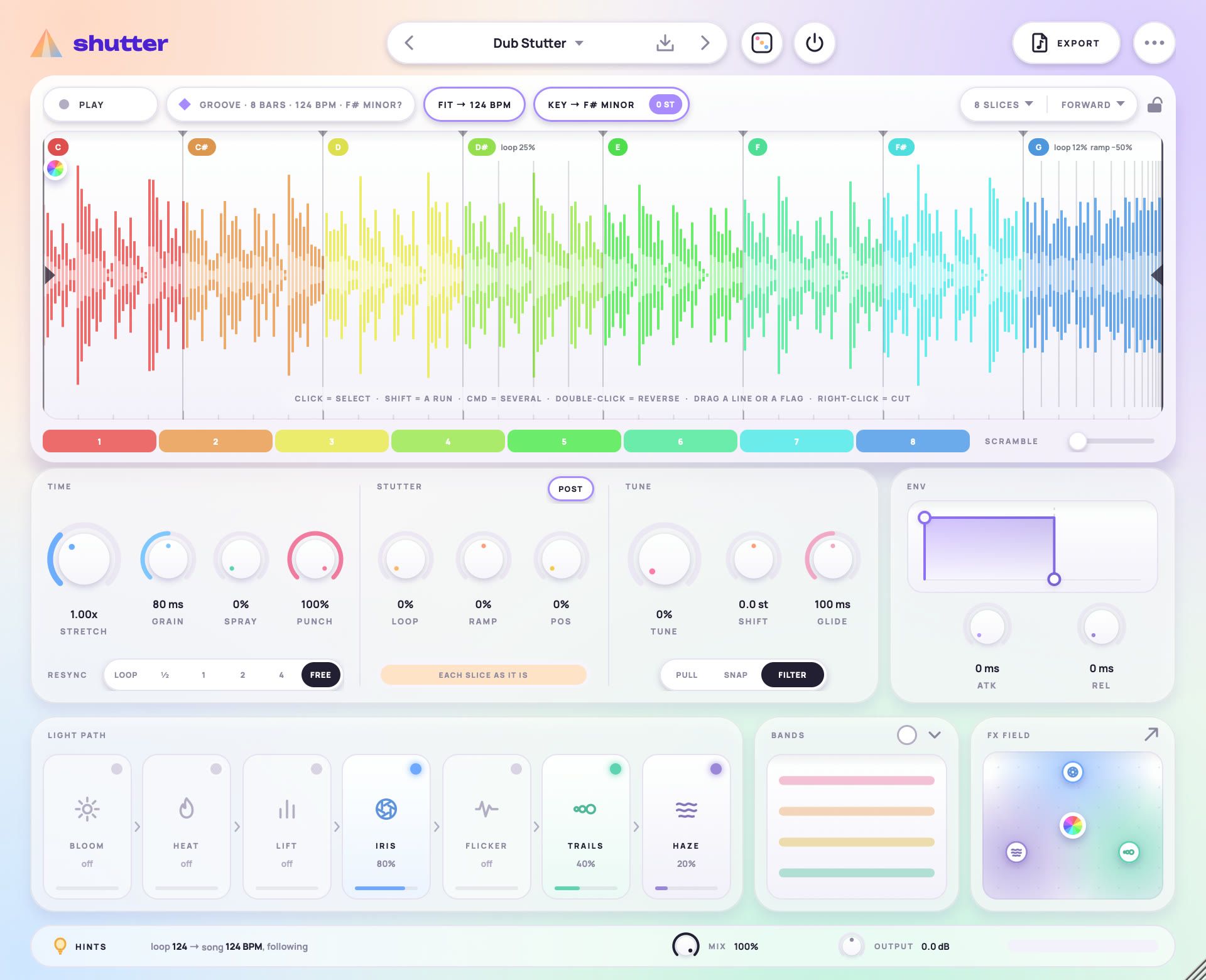
Shutter cuts a loop into slices and puts them on your keys. Tap the pads, or press 1 to 8.
In Shutter, the loop is fitted to your song's tempo and key first, and EXPORT records whatever you play as a WAV.
If your loop is…
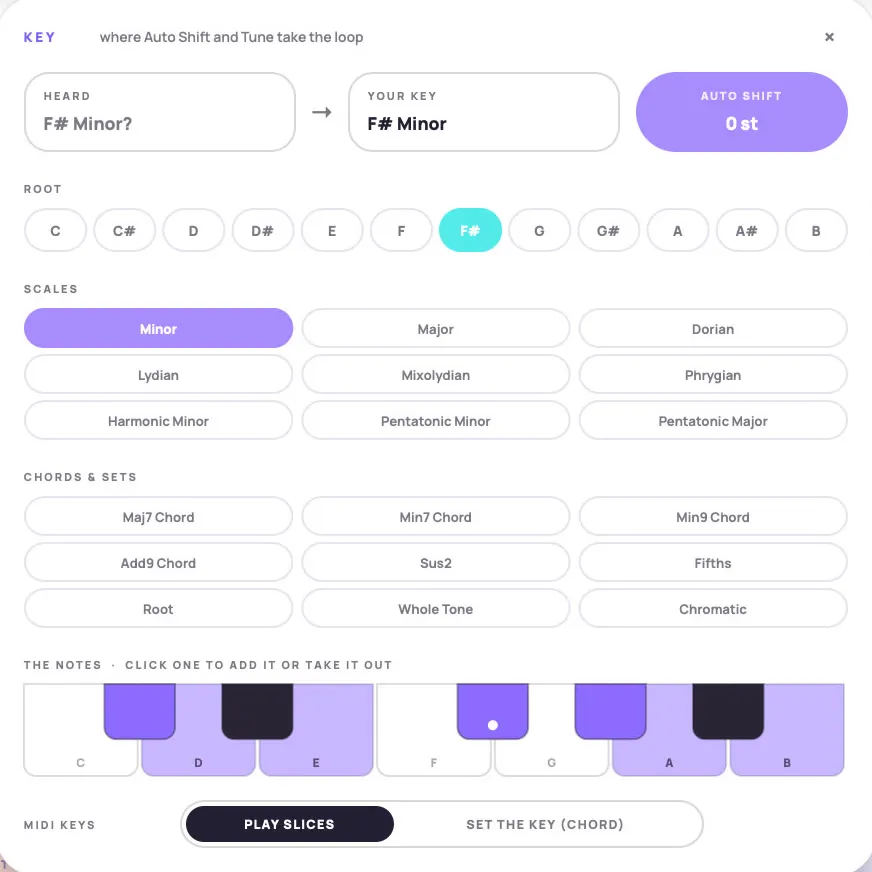
Pull the notes inside it into your key, a scale or a chord, leaving drum hits alone.
KEY and TUNE
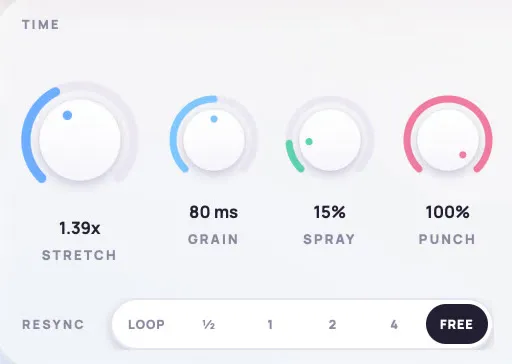
Stretch it without changing its pitch, and keep it locked to your song.
TIME
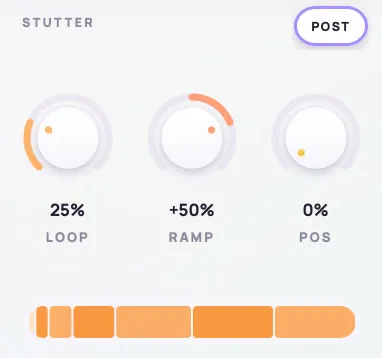
Repeat part of every slice, and roll into or out of the repeats.
STUTTER
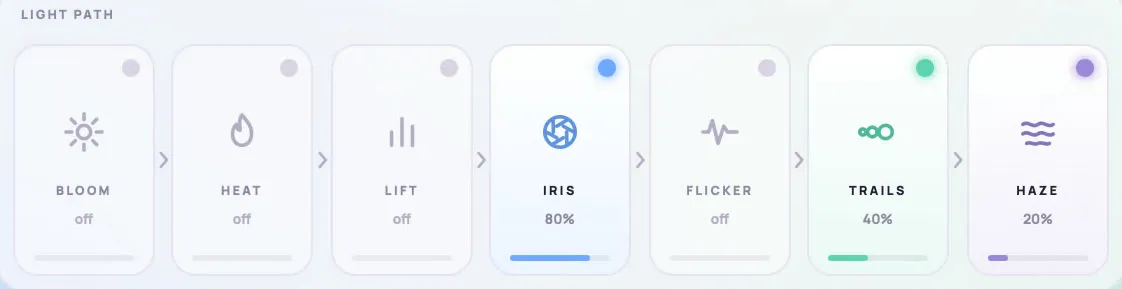
Run it through a glow, warmth, detail, tone, a rhythmic gate, echoes and space.
The light path
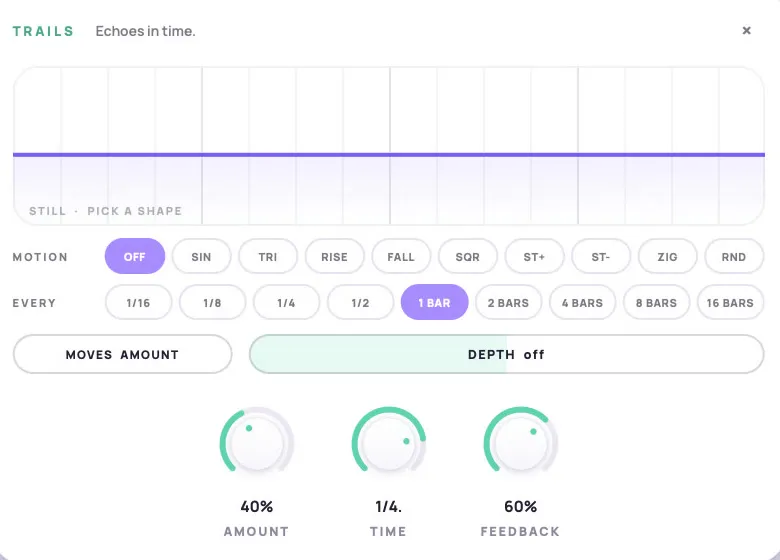
Move any effect in time with your song.
MOTION
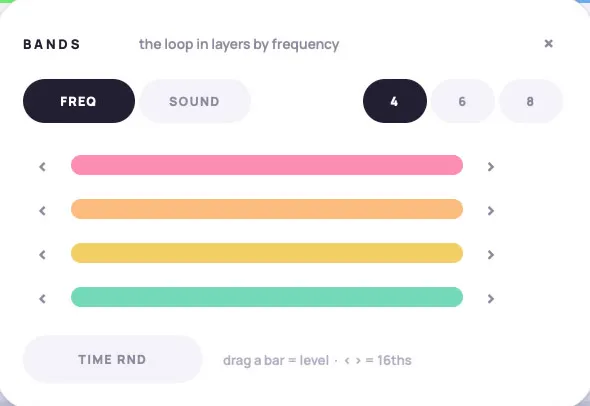
Split it into layers with their own level and timing.
BANDS
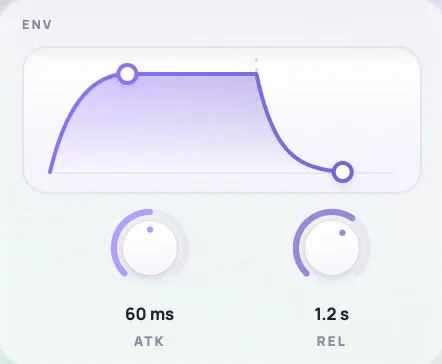
Shape how each slice fades in and out as you play it.
ENV
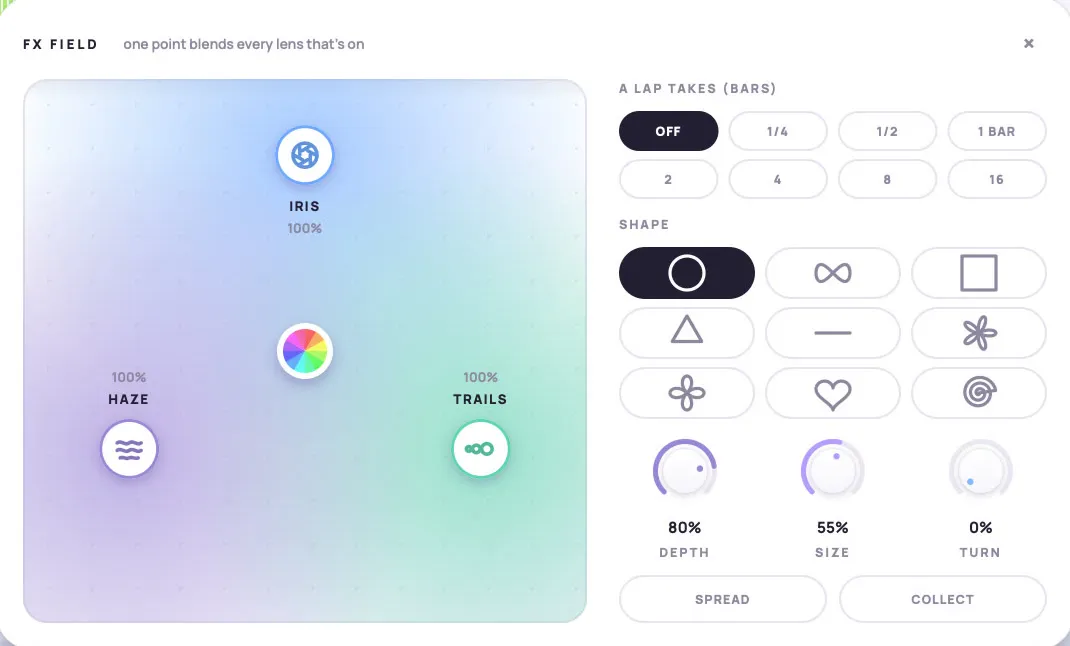
Blend the effects by moving a single point.
FX FIELD
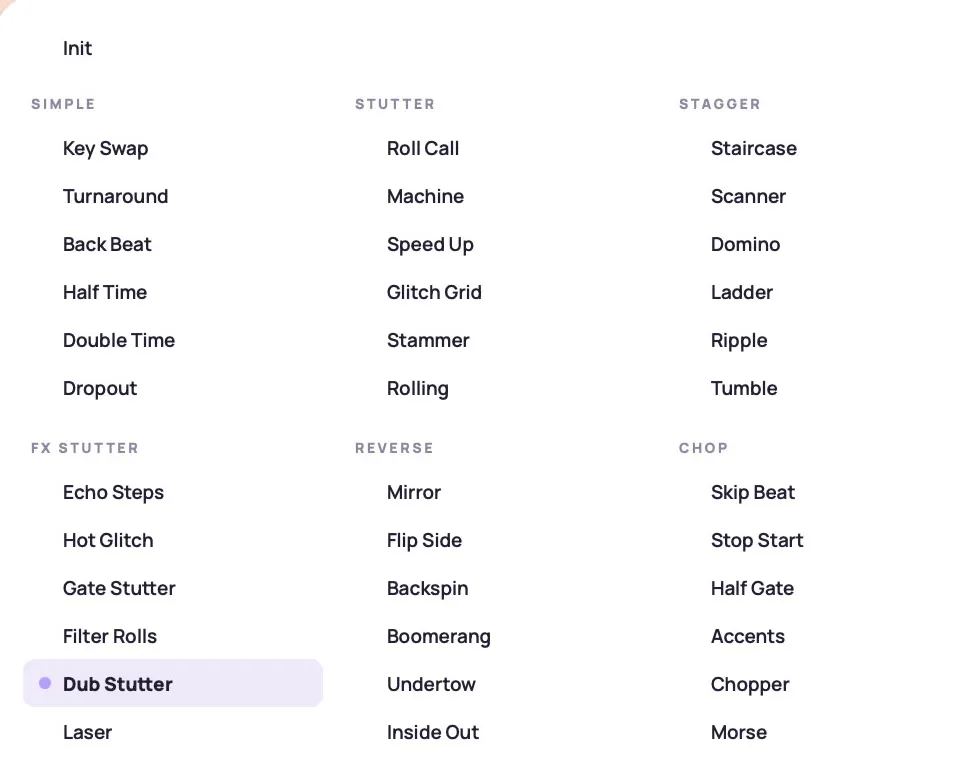
Roll a variation of the current sound, or start from a preset.
REFRACT and the presets
Try it free for 3 days
One trial per account and per computer.
Download it below.
Install it and open it on an instrument track.
Sign in inside the plugin with your email.
Click Start trial. Your 72 hours start then.
Mac
- Version
- 0.1.0
- System
- macOS 11 or later, Apple silicon or Intel
- Formats
- AU and VST3
- File
- Installer (.pkg)
macOS asks you to allow the installer once: how to open it.
Windows
- Version
- 0.1.0
- System
- Windows 10 or later, 64-bit
- Format
- VST3
- File
- .zip with the VST3
Unzip it and copy Shutter.vst3 into C:\Program Files\Common Files\VST3.
Shutter reads WAV, AIFF, FLAC, MP3 and Ogg. It needs the internet to sign in, to activate, and to check its license at least once every 7 days. Manual (PDF)
Before you buy
All sales are final, so try Shutter free for 3 days before you buy, on your computer and in your DAW.
- What is Shutter?
A loop sampler plugin by Lumen DSP, as VST3 and AU. It fits any loop to your song's tempo and key, puts its slices on your keys, and reshapes it. EXPORT records what you play as a WAV.
- Which DAWs does it work in?
Any that loads VST3 or AU plugins, such as FL Studio, Ableton Live and Logic Pro: VST3 and AU on a Mac, VST3 on Windows. Not Pro Tools, which needs AAX.
- Is it an instrument or an effect?
An instrument: open it on an instrument track, load a loop, and play its slices from your keyboard.
- Does it run on Apple silicon?
Yes, natively, and on Intel Macs too: one build runs on both, with macOS 11 or later.
- How much is it?
$39, a one-time purchase, plus tax where it applies. Updates are free for life.
- Can I try it first?
Yes, free for 3 days, with everything working: one trial per account and per computer. Sign in inside the plugin with your email and click Start trial.
- How many computers can I use it on?
Up to 3 at once on one license. Removing a computer, in the plugin or on your account page, frees its place.
- Does it work offline?
Yes, between checks. It needs the internet to sign in, to activate, and to check its license at least once every 7 days.
- Which audio files can it load?
WAV, AIFF, FLAC, MP3 and Ogg.
- Can I use it in music I release?
Yes. The license is for you alone, and it covers any music you make, commercial work included.